Free for contractors
Quotations made simple
Make neat quotations for your work in 2 minutes. A professional PDF with your name, logo and total reaches the customer on WhatsApp in one tap.
Works offline · 5 languages · No password needed
- 2 minto make a quotation
- 3 stepsWork → Customer → Send
- 5languages
- ₹0free to use
How it works
A quotation in 3 steps
Work → Customer → Send. That's it.
- 19:41
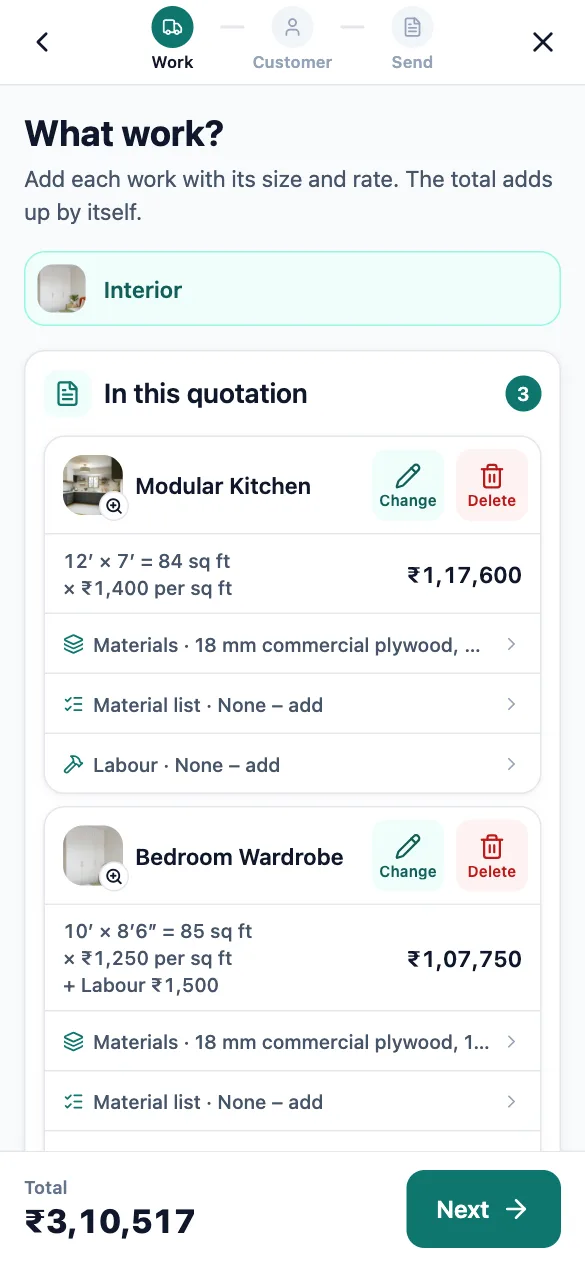
Tap your work
Pick work by picture and enter sizes on a big number pad. Rates come from your price list.
- 29:41
Pick the customer
Choose from your phone contacts, type a number, or pick an old customer.
- 39:41
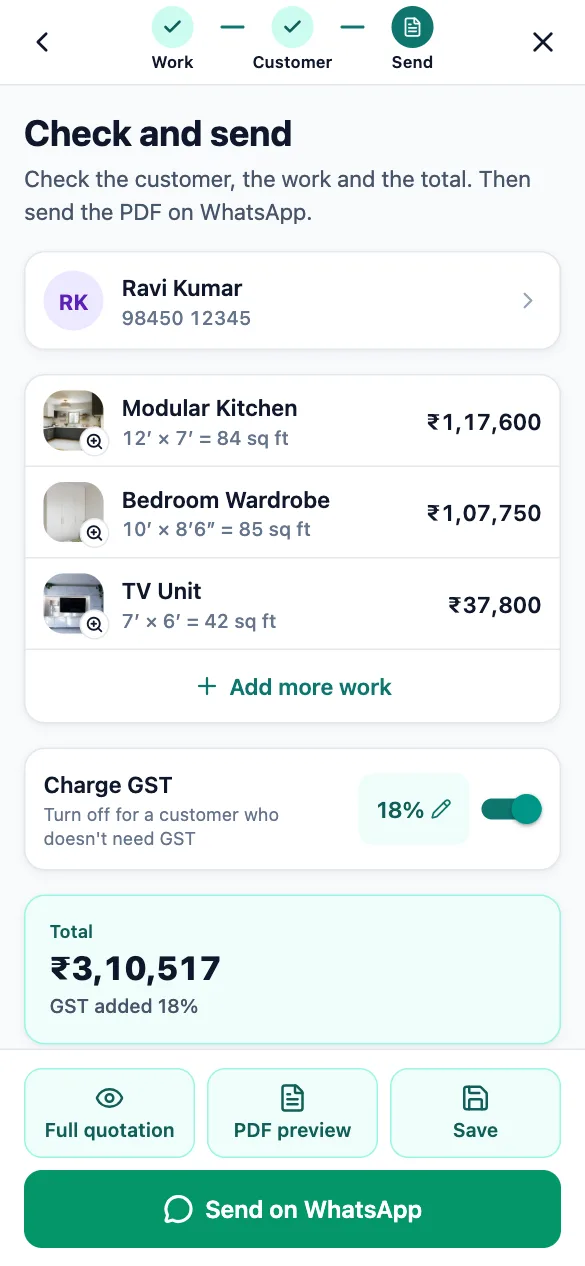
Send
A neat PDF with your name, logo and total goes to the customer on WhatsApp in one tap.
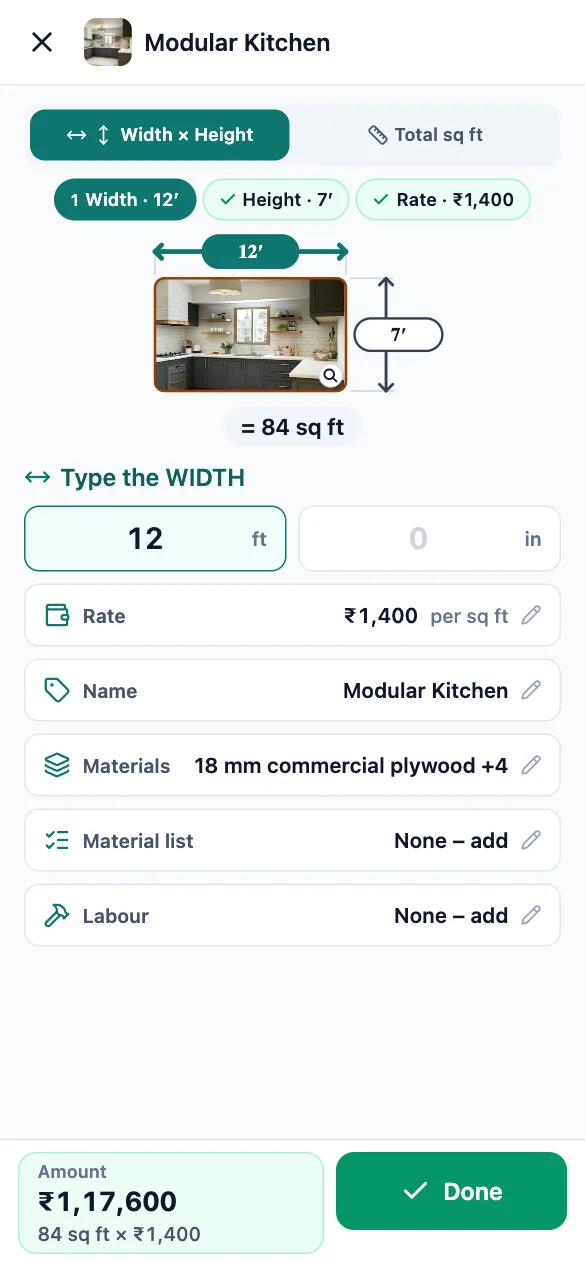
Size pad
Measure once. The app does the maths.
Enter length and width on a big number pad. A drawing shows what you measured, and the area and amount are worked out as you type.
- Feet and inches
- Area, length, pieces or fixed price
- No calculator needed
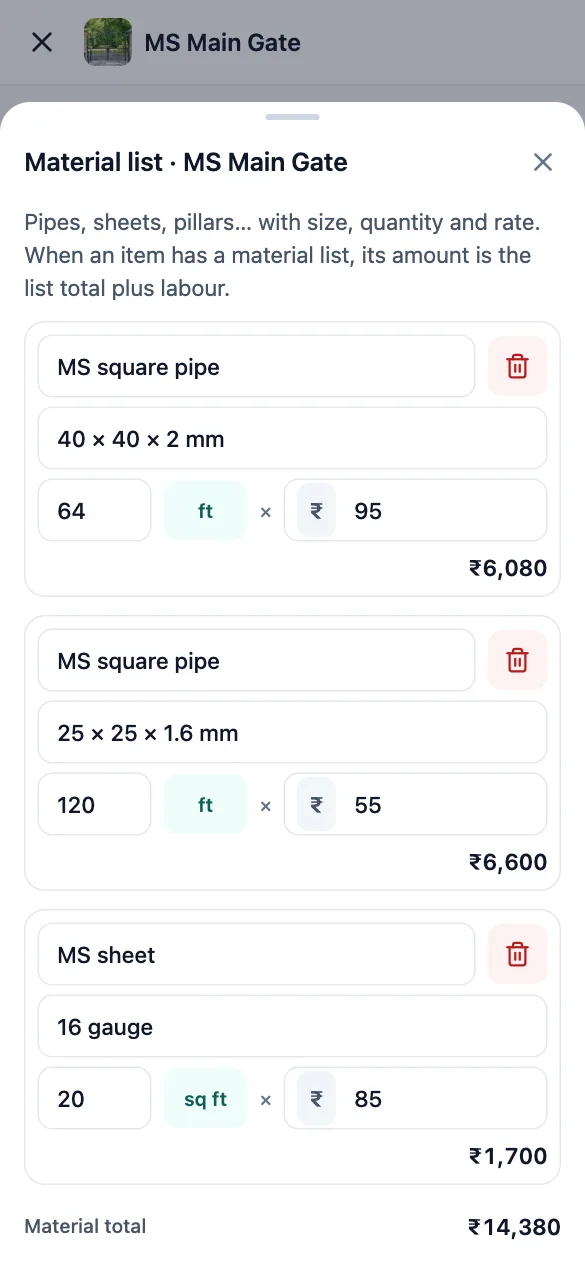
Materials & labour
Price fabrication work the way you really do
List the pipes, sheets and pillars for a gate or grill with size, quantity and rate, and add welding, fitting or transport. The item’s amount is worked out from them.
- Ready sizes for pipes and sheets
- Your usual rates are kept
- Shown under the item on the quotation
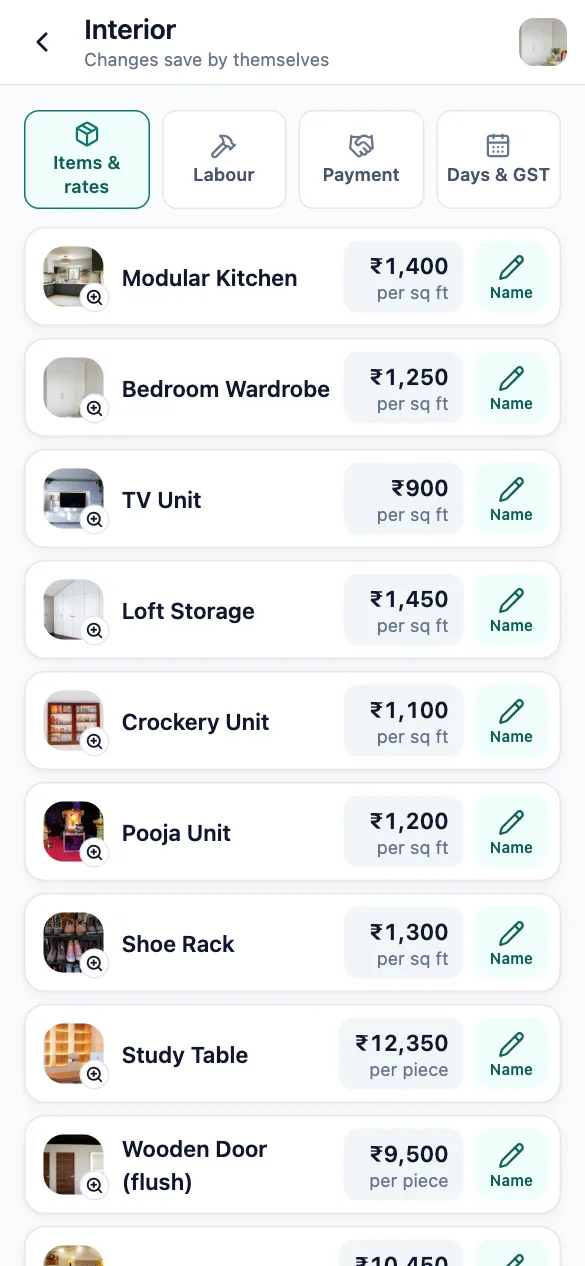
Your catalogue
Your work and your rates, with pictures
Start with a ready catalogue for interior, fabrication, painting and more. Set your own rate once and it is used in every quotation.
- 60+ ready items with photos
- Add your own items and photos
- Full sets like 2 BHK or kitchen
Send
Reaches the customer in one tap
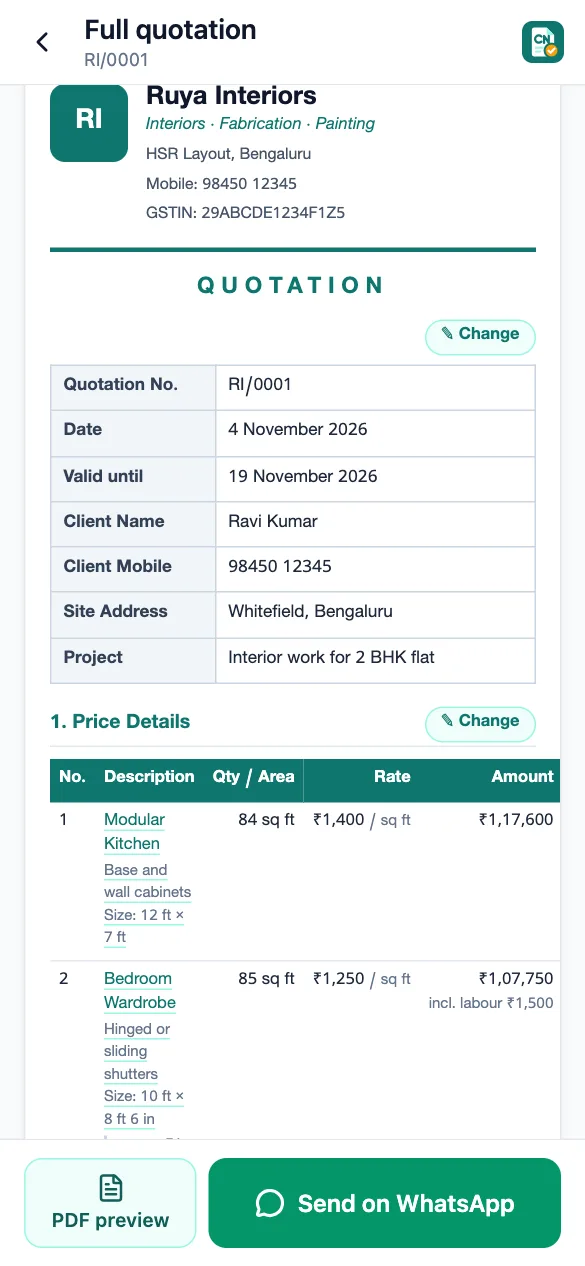
The app makes a clean A4 PDF with your business name, logo, items, total, payment terms and warranty, and opens WhatsApp for you.
- Share on WhatsApp or any app
- Print or save the PDF
- Total written in words
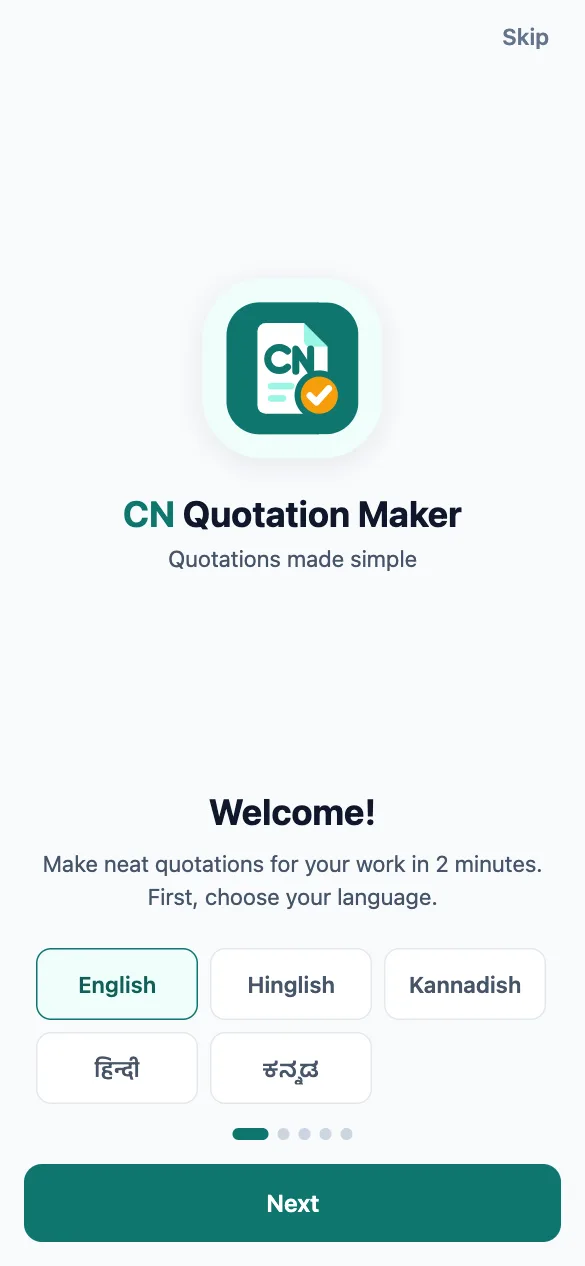
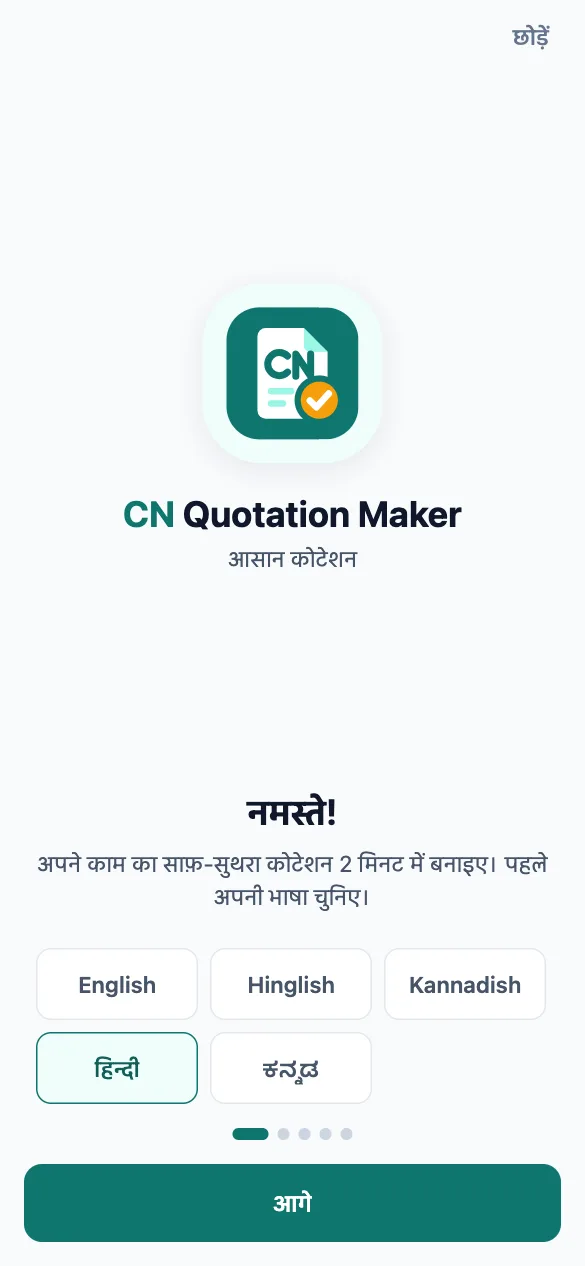
Your language
Speaks your language
Use the app in English, Hinglish, Kannadish, हिन्दी or ಕನ್ನಡ. Big buttons and pictures first, so anyone on your team can use it.
- Switch language any time
- Pictures for every item
- Very little typing
See the app
Simple screens, big buttons
Real screens from CN Quotation Maker.
- 9:41
Pick your language - 9:41
Your items & rates - 9:41
Size pad with drawing - 9:41
Work adds up by itself - 9:41
Material list - 9:41
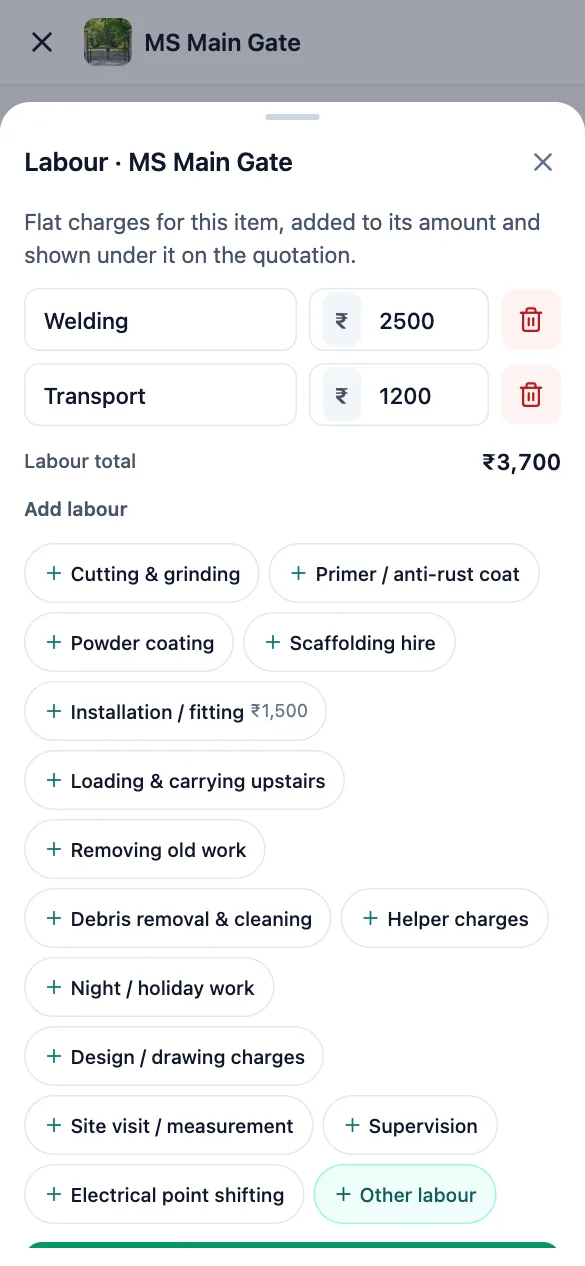
Labour charges - 9:41
Check and send - 9:41
Neat, professional quotation - 9:41
हिन्दी में भी
Swipe to see more
Features
Everything a contractor needs to quote
Built for busy people on site. Big buttons, pictures first, and very little typing.
Pick work by picture
A ready catalogue for interior, fabrication, painting and more. Tap a picture to add it. Full sets too.
Specs in a tap
Pick the body, thickness, finish, brand and more from ready choices. They are written under the item on the quotation.
Material list
For fabrication work, list pipes, sheets and pillars with size, quantity and rate. Your usual rates are kept for next time.
Labour charges
Add fitting, transport, welding and other charges to an item. They are shown under it on the quotation.
Photos of your work
Take a photo of your own work for an item, or pick one from the gallery. It shows on every phone you sign in on.
Size pad with drawing
Enter length and width on a big number pad. A small drawing shows what you measured, and the area is worked out for you.
Customer from contacts
Pick the customer from your phone contacts, type a number, or reuse an old customer.
Address on the map
Search for the site address or pick it on the map, then get directions to the site in one tap.
Neat A4 PDF
A professional quotation with your business name, logo, items, total and terms, ready to print.
Send on WhatsApp
Share the PDF to WhatsApp or any app in one tap, or open a chat with the customer directly.
Discount & GST
Add a discount, add GST on top or keep it inside your rates. The total is also written in words.
Payment terms & warranty
Set your payment split, work days and warranty once. They are printed on every quotation.
Works offline
Make quotations without internet. Everything syncs when you are back online, even across phones.
Your language
English, Hinglish, Kannadish, हिन्दी and ಕನ್ನಡ. Big buttons and pictures first.
Track status & versions
See which quotations are draft or sent. Changing a sent quotation keeps the old version safe.
Copy for a new customer
Similar job? Copy an old quotation for another customer and change only what is different.
No password to remember
Sign in with a 6-digit code sent to your mobile number or email.
Who it's for
Made for small contractors and their teams
Stop writing quotations by hand or fighting with spreadsheets. CN Quotation Maker is simple enough to use on site, right in front of the customer, and neat enough to win the job.
- Interior
- Fabrication
- Painting
- Carpentry
- Electrical
- Plumbing
- Civil work
FAQ
Common questions
Is CN Quotation Maker free?
Yes. You can make and send as many quotations as you need, for free.
Does it work without internet?
Yes. Your business details and quotations are saved on your phone, so you can make quotations anywhere. They sync to your account when you are back online.
Can I use it on two phones?
Yes. Sign in with the same mobile number on both phones. Your business, rates, photos and quotations sync between them. If you change different things on the two phones, both changes are kept.
Can I add my own logo, items and photos?
Yes. Add your business name, logo, phone and address once. You can change rates, add your own items and types of work, take photos of your own work for them, and write your own terms.
How do I send the quotation to my customer?
Tap Send. The app makes a PDF and opens WhatsApp or any other app you choose. You can also print it.
Is my data safe?
Your data is sent over an encrypted connection and kept private to your account. We do not sell your data and we do not show ads. Read our Privacy Policy for details.
How do I delete my account?
In the app, open My business → Delete account and enter the code we send you. Everything is deleted. You can also email us. See the Delete account page.
More questions? Contact support
Send your next quotation in 2 minutes
Download CN Quotation Maker for free on Android and iPhone.